Agent Control Center
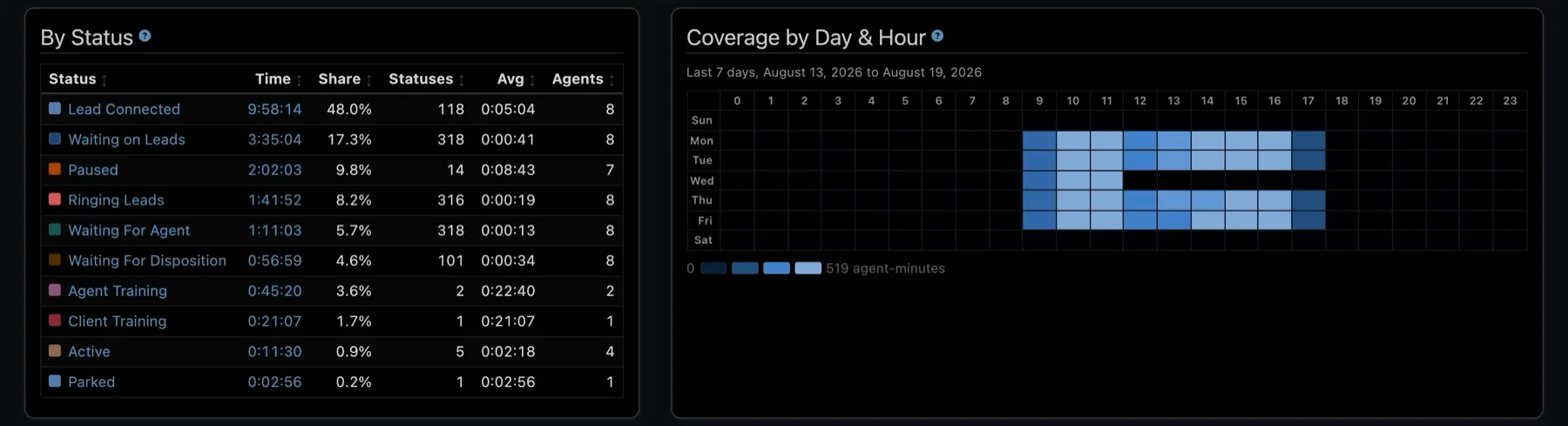
Agents run the whole call from a browser tab: qualify the caller, steer the conversation and hand it to the right buyer. There is nothing to install and no separate SIP phone to configure.
- A phone in the browser — a WebRTC softphone with SIP credentials set up automatically.
- Scripts that adapt — switch the interview script mid-call when the caller needs a different path.
- Mute, hold and transfer — manage the caller’s audio and pass the call to a buyer in one click.
- Find the buyer — when the interview is done, the Avortyx routing engine picks the best eligible buyer for what the caller said, and shows the matches before you transfer.
The live call, on one screen. Mute, hold, transfer, find a buyer and record the outcome, all in the browser.
A whole floor, onboarded at once
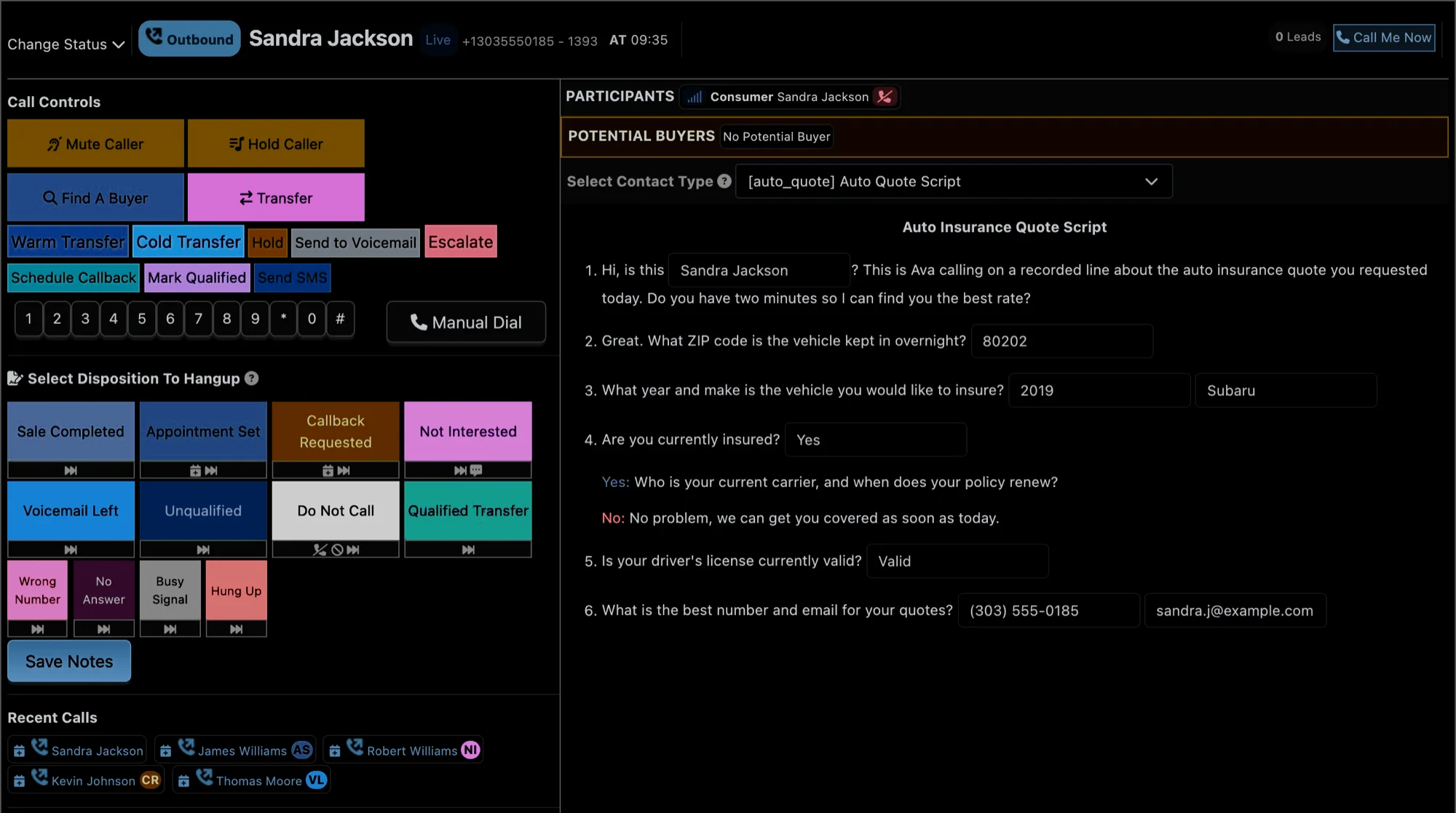
Add hundreds of agents in one go with the bulk uploader: import them from a CSV, create internal agents who do not need an email address, and assign them to offers, schedules and call queues.
Stand up a call center quickly. Agents created in bulk from a CSV, not one by one.
Which agent gets the call
Choose the rule that suits your floor:
- Longest Wait Time — whoever has been free longest goes next.
- Tier & Weight — your best people first, with weights sharing calls inside each tier.
- Hybrid — tiers first, then longest wait within a tier.
- A fair share for everyone — every fifth call reverses the hybrid order, so lower tiers still get calls.
Outcomes that trigger the next step
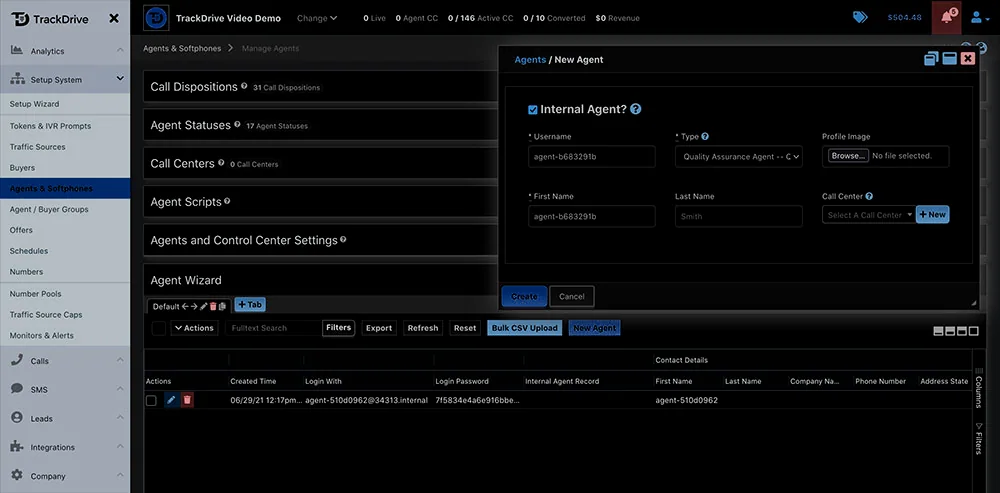
Every call ends with a disposition, which shows you how calls are going and where to coach. Dispositions can also act: add the caller to your DNC list, call a custom webhook and more.
Dispositions that do something. Your own codes can fire webhooks, update lead data or add a caller to your DNC.
The floor, live
See what every agent is doing right now (on a call, ringing a lead, at lunch) along with how long they have been in that state and how many calls they have taken.
Where the day is going. Live statuses with time in state and calls handled.
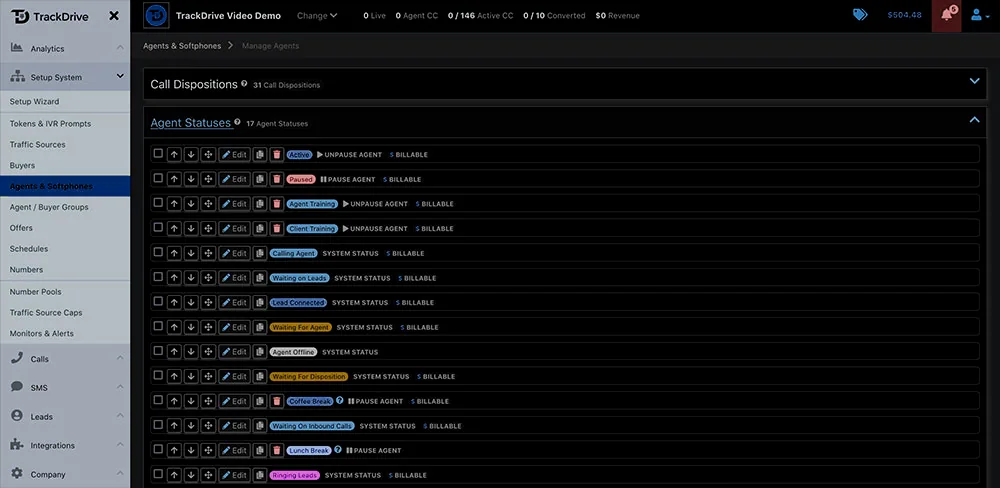
Timesheets and productivity
Statuses show what the floor is doing now; timesheets show what it did. Each status change builds an agent’s timesheet, and the Agents dashboard adds them up across the floor for any period you choose.
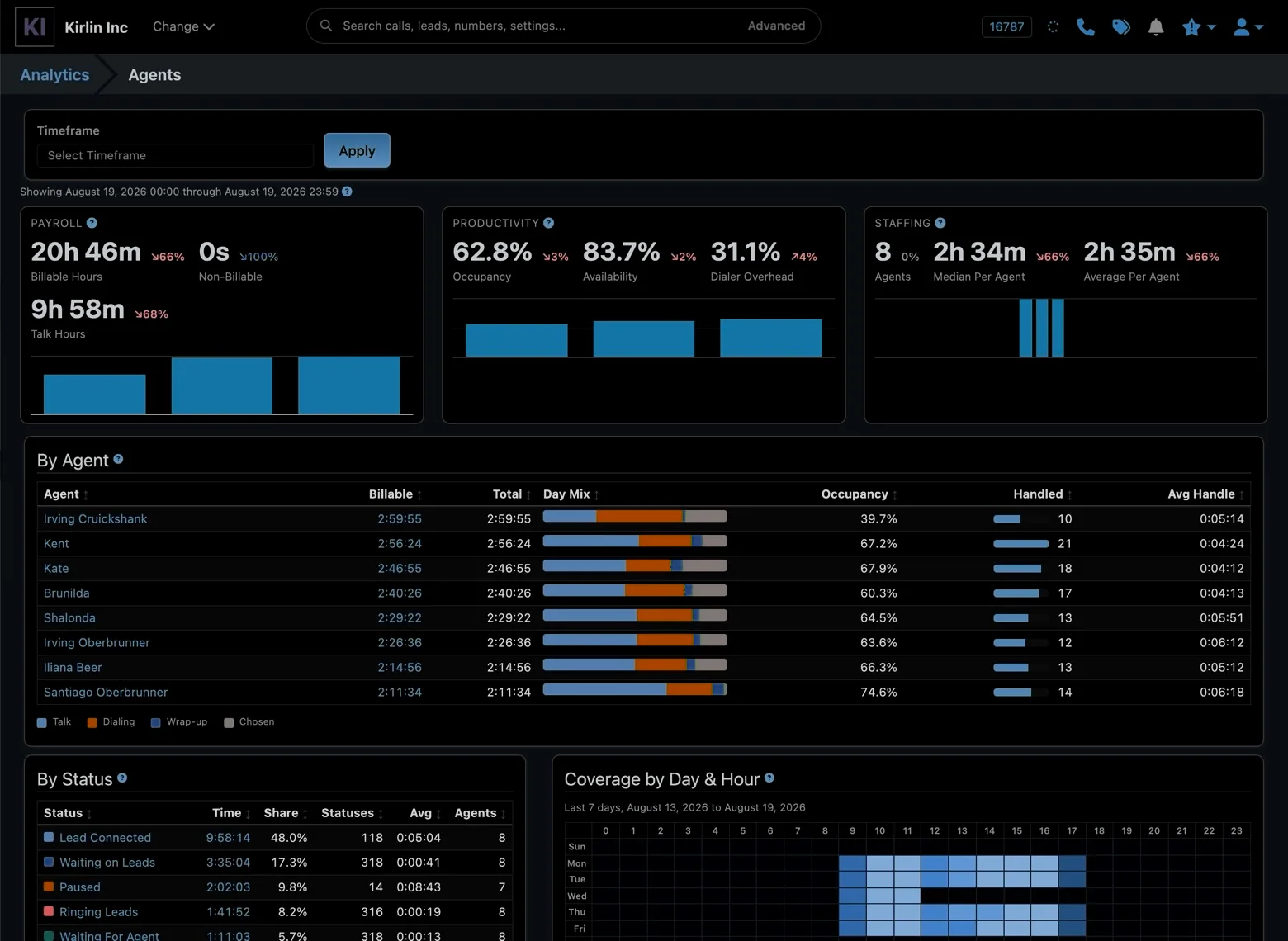
- Payroll — billable, non-billable and talk hours, based on the billable flag you put on each status, so paid time and unpaid time never mix.
- Productivity — occupancy and availability are reported separately instead of as one “utilization” figure, because low availability and low occupancy have different fixes: one is about the agent, the other about call volume. Time agents are paid to wait on the system, rather than talk to someone, is shown as its own share.
- Staffing — headcount with the median next to the mean, so a single part-time shift cannot make an ordinary day look bad.
The whole floor, any period. Payroll, productivity and staffing at the top of the page.
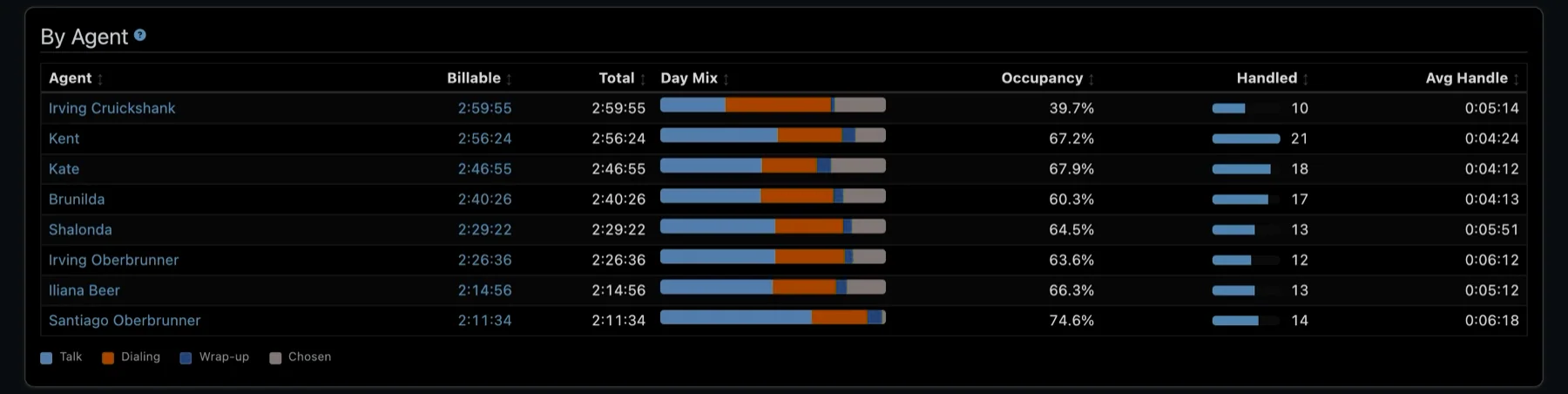
By Agent lists everyone on their own row: billable and total time, how the day split between talking, dialing, wrap-up and their own statuses, occupancy, callers handled and average handle time. Click a name or a total to see the status entries behind it.
Person by person. Each agent’s day, with talk, dialing and wrap-up shown in one bar.
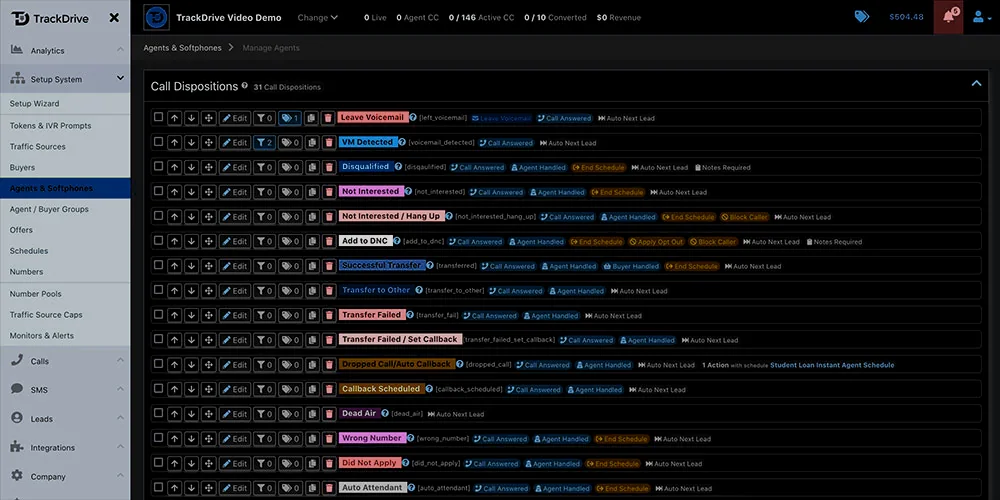
Coverage by Day & Hour shows average agent-minutes for every hour of every weekday, in your account’s time zone rather than UTC, so a nine-to-five floor reads as nine to five. Compare it with when leads arrive and the holes in your schedule become obvious.
When people are on. A week of coverage by day and hour, next to the statuses behind it.